 MasterPIZZA
To the gram
Dough balls, total weight or trays; hydration, salt, fresh, dry or sourdough yeast; rising hours, including the fridge.
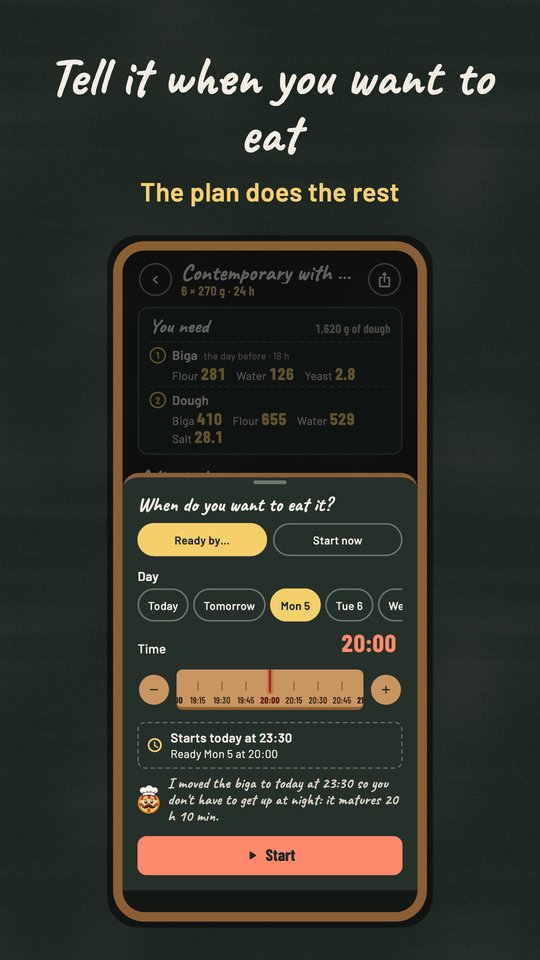
MasterPIZZA calculates the amounts for your dough and then guides you through it: tell it when you want to eat and it tells you what to do and when, from the biga to the oven.
Free for Android · version 0.16

The whole app is a pizzeria chalkboard: big numbers, wooden rulers and a single screen for the recipe.
Dough balls, total weight or trays; hydration, salt, fresh, dry or sourdough yeast; rising hours, including the fridge.
Biga from 10 to 100%, poolish and autolyse, with the ingredients split by stage.
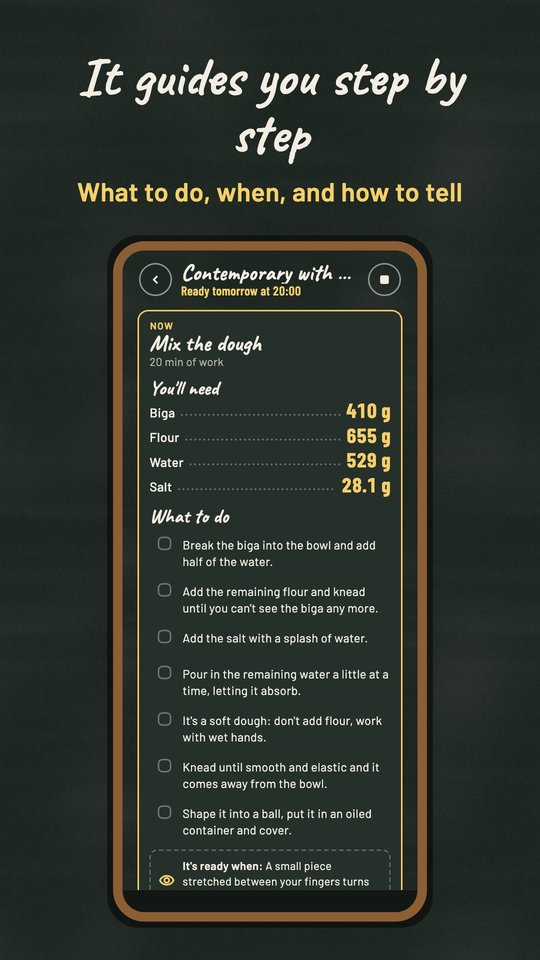
A plan with the time of every step, what to do, how to tell it's ready, and alerts.
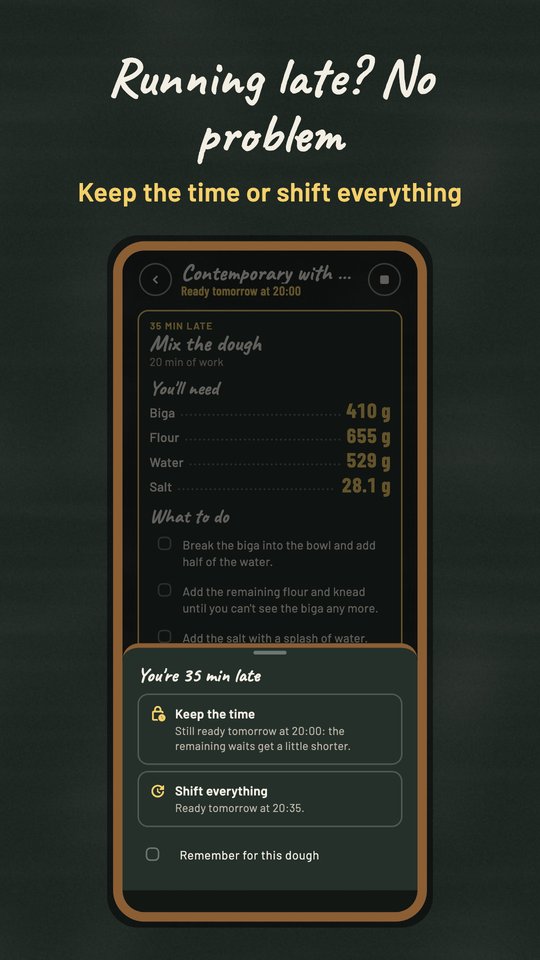
Keep the time, with the waits and the yeast adjusting, or shift everything.
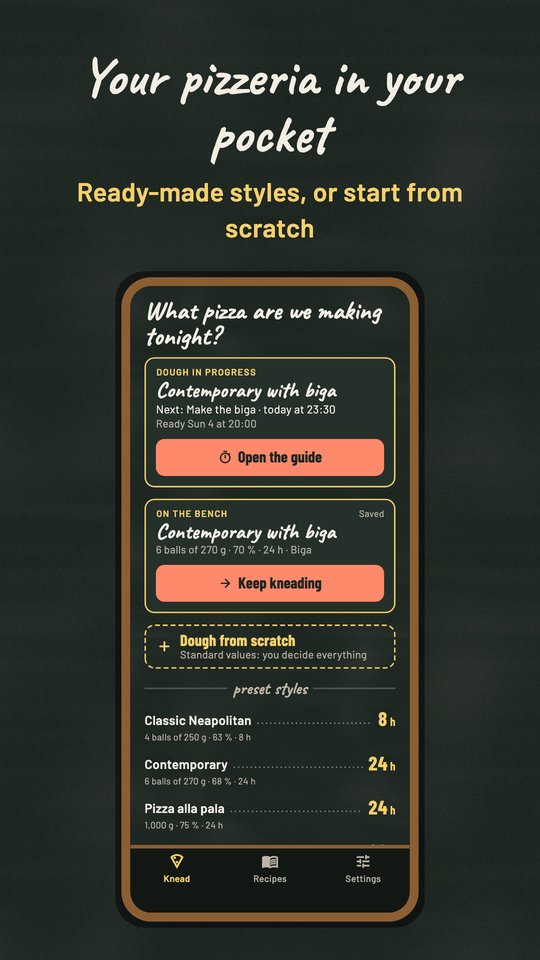
The Knead tab is the starting point. You can:
All styles opens The dough menu: the styles grouped by family (traditional, contemporary, bakery), each with its amounts, hydration and hours.
The Recipes tab holds the recipes you saved, and Settings holds units and kitchen preferences.
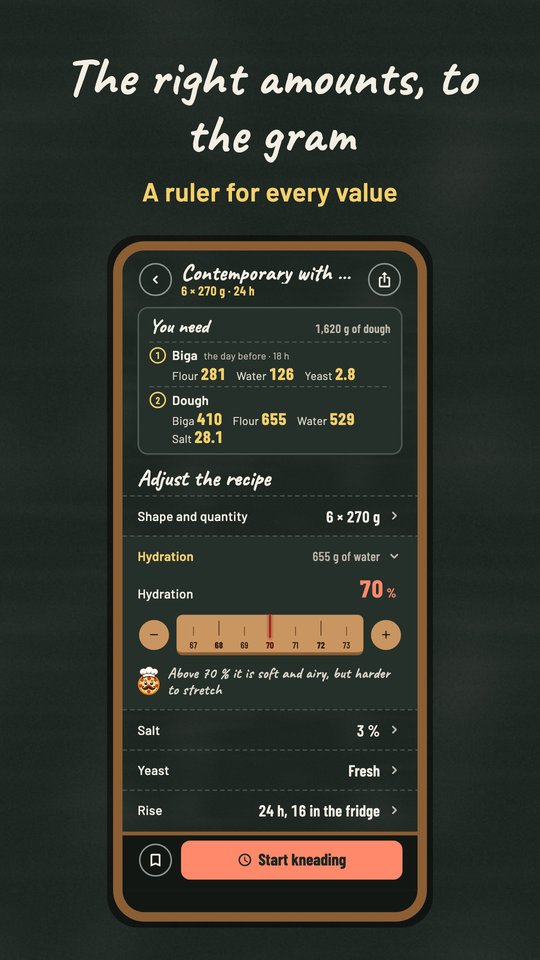
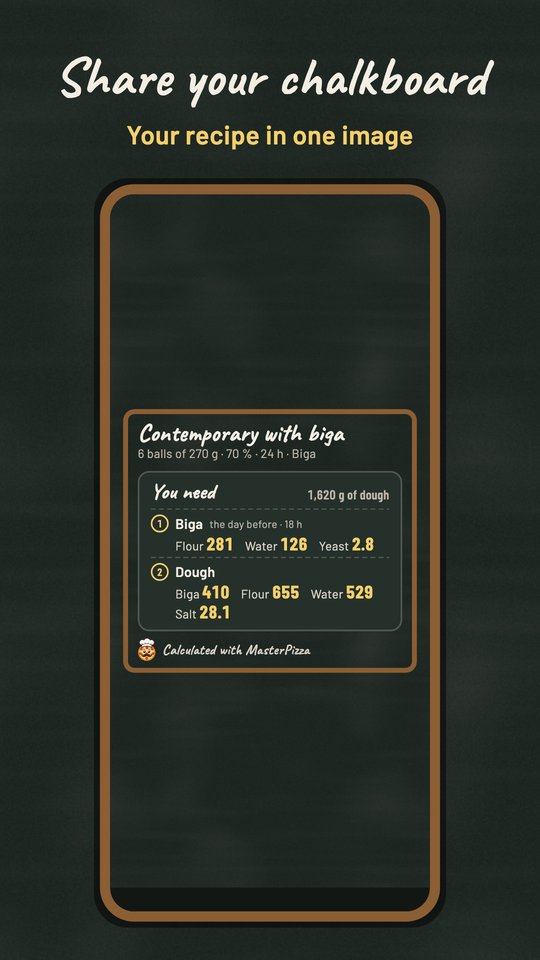
At the top, You'll need lists the ingredients with their weights. When you use a biga, a poolish or an autolyse, the list is split into numbered stages, so you know what goes in at each moment.
Below, Adjust the recipe lists the parameters. Tap a row to open it and change the value with the ruler, or with the − and + buttons. Only one row is open at a time.
The amounts update as you change the values. Save keeps the recipe with a name and notes. If you're editing a recipe you already saved, you can choose Update this one or Save as new, with a different name. The share button at the top sends it as an image or as text.
From the recipe, tap Start kneading.
Below the current step is the plan, with every step and its time; the moon marks the ones that fall at night. Tap a step to read how it's done. If you tapped Done by mistake, open the step and choose Undo.
A few things the plan does for you:
If you finish a step less than 10 minutes off, nothing changes. Otherwise you choose:
You can remember the choice for the current dough, or set a default in Settings. Only one dough can be in progress at a time; you can stop the guide from the stop button at the top.
The guide sends an alert 10 minutes before every step that needs you, even with the app closed. Folds arrive right on time. Alerts are scheduled on your phone; nothing passes through our servers.
In Recipes you can search by name and filter by dough balls, tray, biga or poolish. Tap a recipe to open it. The ⋯ button lets you rename it and edit its notes, share it, or delete it. After deleting, you can undo from the message at the bottom.
Earlier versions overestimated the refresh yeast and the correction salt of the biga. They are now calculated as a percentage, as they should be, so recipes with those options give different (correct) amounts.
Only on your phone. If you uninstall the app or clear its data, they are deleted. They are not copied to our servers.
Version 0.16 has a single recipe screen that does both: the essential values first, the advanced options below.
MasterPIZZA is free, and ads support its development. You can review your ad choices at any time from Settings → Privacy and ads.
For help, suggestions or problems, write to mauropesci@infodreams.it. How the app handles data is explained in the privacy policy.
Happy kneading, and enjoy your pizza!